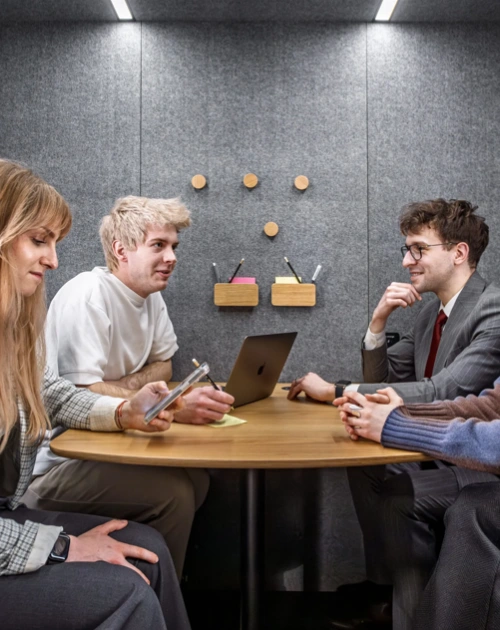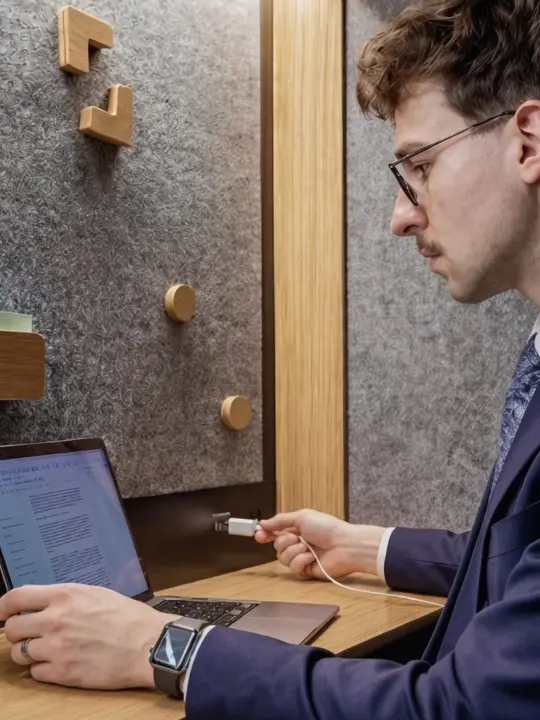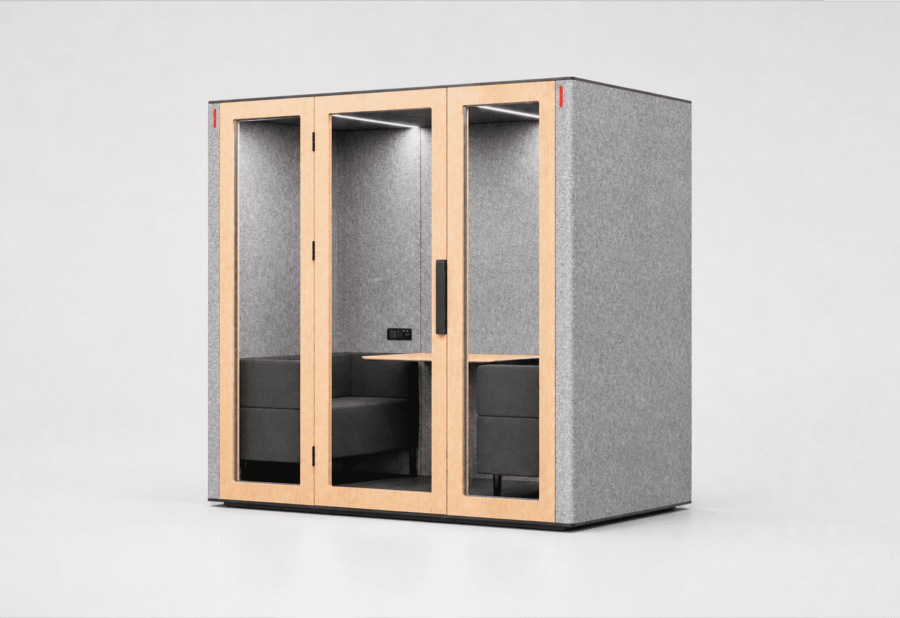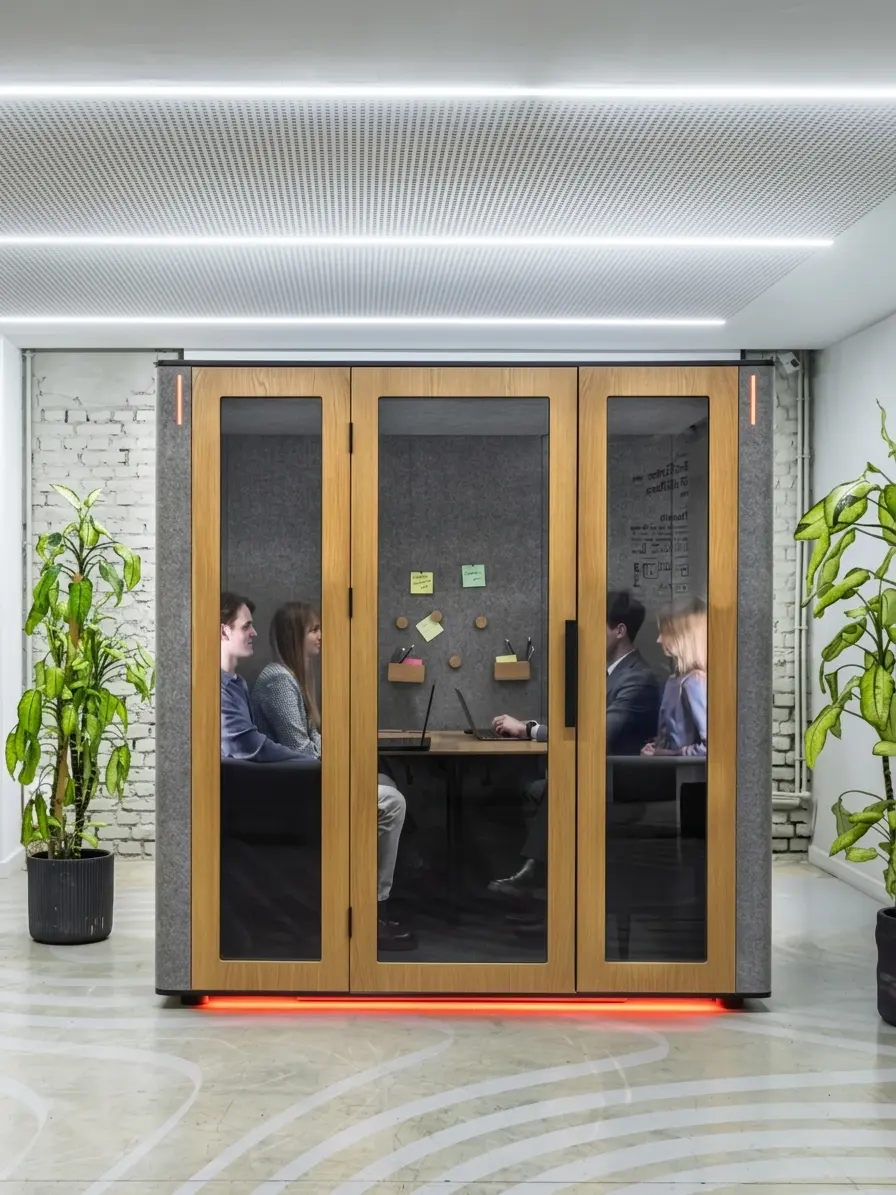


Modern offices need private spaces for phone calls, video conferences, meetings, and focused work. Building new rooms, however, takes time, requires construction, and changes the existing floor plan. Soundproof modular offices offer a faster and more flexible alternative. These self-contained, room-in-room booths can be installed inside an existing workspace without permanent walls.
In this article, we explain how modular offices work, how they complement traditional meeting rooms, and how our WorkBooth solutions support different workplace needs.
What Is a Soundproof Modular Office (Room-in-Room)?
A soundproof modular office, also known as a room-in-room solution, is a freestanding, non-permanent structure that creates a separate workspace within an office. A soundproof office pod does not require permanent walls. If the office layout changes, the pod can be repositioned on the same floor using optional casters or disassembled into modules and reassembled in a new location.
Inside, each WorkBooth includes an acoustic enclosure, mechanical ventilation, lighting, and power connections for electronic devices. The space can be used for private calls, video conferences, focused work, interviews, and small meetings.
The term “soundproof office” is widely used for this product category, but no office pod creates absolute silence. Our complete pods have been independently tested and hold Class A certification under ISO 23351-1. They provide 43 dB of noise reduction and keep conversations inside private by reducing speech intelligibility outside the pod.
What Should a Modular Office Provide?
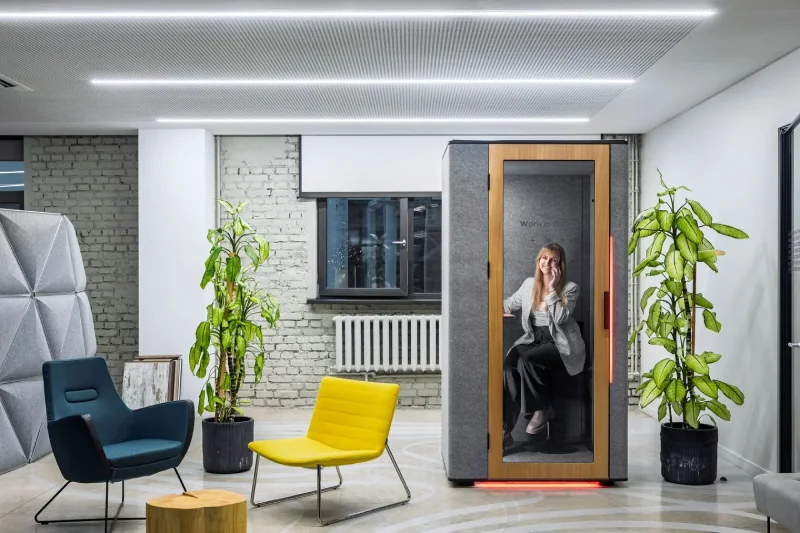
A well-designed modular pod should serve several purposes at once:
- Speech privacy. Conversations inside should remain private, while surrounding office noise should not interfere with the people using the pod.
- A dedicated workspace. Users should have a clearly defined physical space for calls, meetings, or focused work.
- Support for hybrid work. Lighting, power, connectivity, and AV compatibility should make video conferencing easier.
- A comfortable environment. Mechanical ventilation, suitable lighting, and an ergonomic layout are essential for longer sessions.
- Adaptability. A modular pod should be easy to add without major renovations and flexible enough to move or scale as workplace needs change.
Why Traditional Meeting Rooms Are Not Always Enough
In an open-plan office, conversations, phone calls, and people moving through the space can become a constant source of distraction. Holding a confidential conversation at a desk is also impractical: nearby colleagues may hear what is being discussed, while background noise can reduce the quality of online meetings.
Traditional meeting rooms work well for longer sessions and larger groups, but their availability is often limited. A large room may be occupied by one person who only needs to make a short call. Adding permanent rooms is rarely a quick solution because it requires construction and may involve permits or approvals.
Modular pods complement existing meeting rooms by distributing different types of work more efficiently. Aone person office pod can accommodate an individual call or focused work session, leaving traditional meeting rooms available for larger teams and longer discussions.
The Solution: Soundproof Modular Booths
We designed WorkBooth as a freestanding room-in-room workspace. Every pod combines acoustic privacy, ventilation, lighting, power, and smart features in a ready-to-use structure. For interviews and one-on-one conversations, a two person meeting pod creates a dedicated space without permanent walls. Additional pods can be added as the team grows or workplace requirements change.
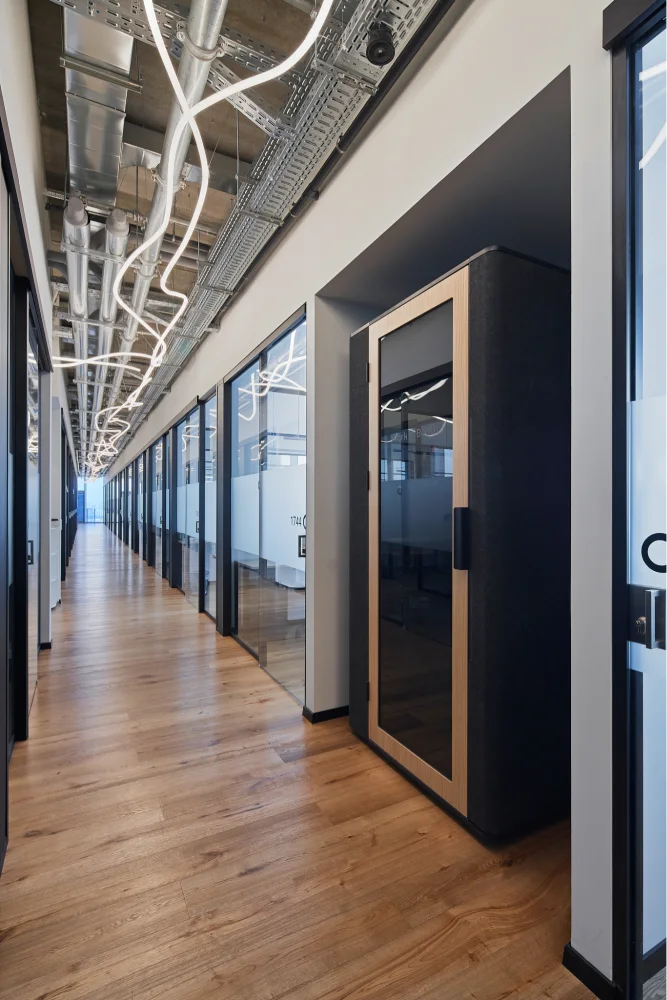
Key benefits include:
- Fast installation. WorkBooth One can be installed in approximately one hour, while WorkBooth Four can be installed in under two hours. The final installation time depends on the model, site access, and conditions at the property.
- Flexibility. Our pods can be repositioned on the same floor using optional casters or disassembled into modules for transport to another office.
- Efficient use of space. We offer dedicated models for one, two, and up to four people.
- Scalability. Additional pods can be installed without constructing another permanent room.
- Integrated features. Depending on the model, features include ventilation, task and studio lighting, power outlets, USB-A and USB-C ports, wireless charging, booking integrations, and compatibility with video conferencing equipment.
Traditional Meeting Room vs. Modular Booth
| Criterion | Traditional Meeting Room | Room-in-Room Modular Pod |
|---|---|---|
| Installation | Requires construction work | Assembled from prefabricated modules |
| Implementation time | Usually weeks or months | Usually a few hours after delivery |
| Acoustics | Depend on walls, doors, and room finishes | Tested on the complete finished pod |
| Capacity | Typically designed for groups | WorkBooth models accommodate 1, 2, or up to 4 people |
| Flexibility | Relocation requires another renovation | The pod can be moved or disassembled |
| Scalability | Requires additional construction | Additional pods can be installed as needed |
| Best suited for | Large groups and longer meetings | Calls, video conferences, interviews, focused work, and small meetings |
The WorkBooth Collection: A Model for Every Need
Our product line includes three main models designed for workplaces worldwide:
| Model | Capacity | Best Suited For | Key Features |
|---|---|---|---|
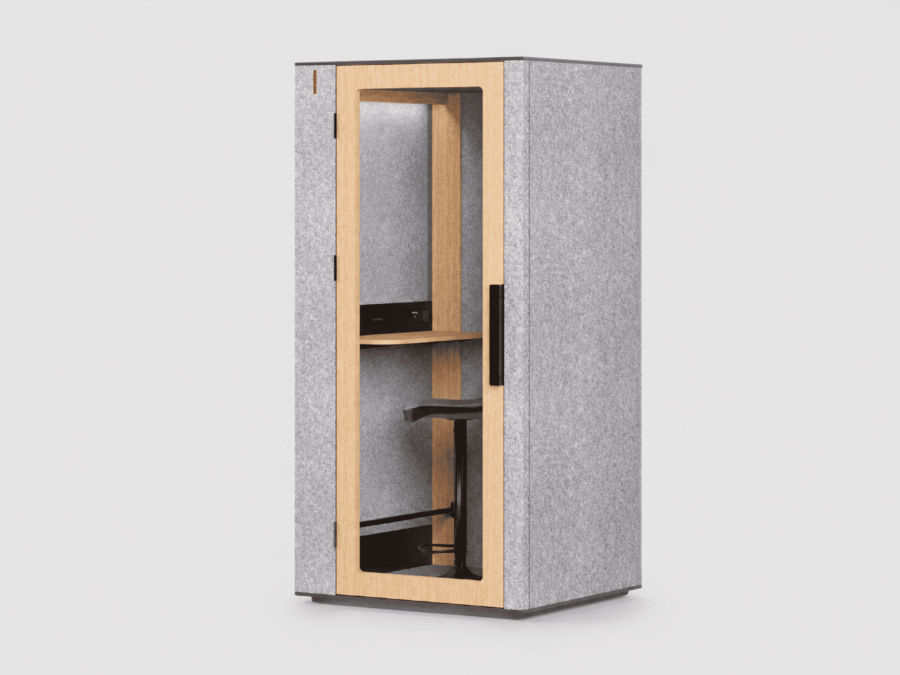
| WorkBooth One | 1 person | Private calls, video conferences, and individual work | Adjustable ventilation, task and studio lighting, charging ports, wireless charging, and a magnetic wall |
| WorkBooth Two | 2 people | Interviews, one-on-one meetings, and collaborative work | Ventilation, an occupancy indicator, a fold-down table, charging ports, and AV integration options |
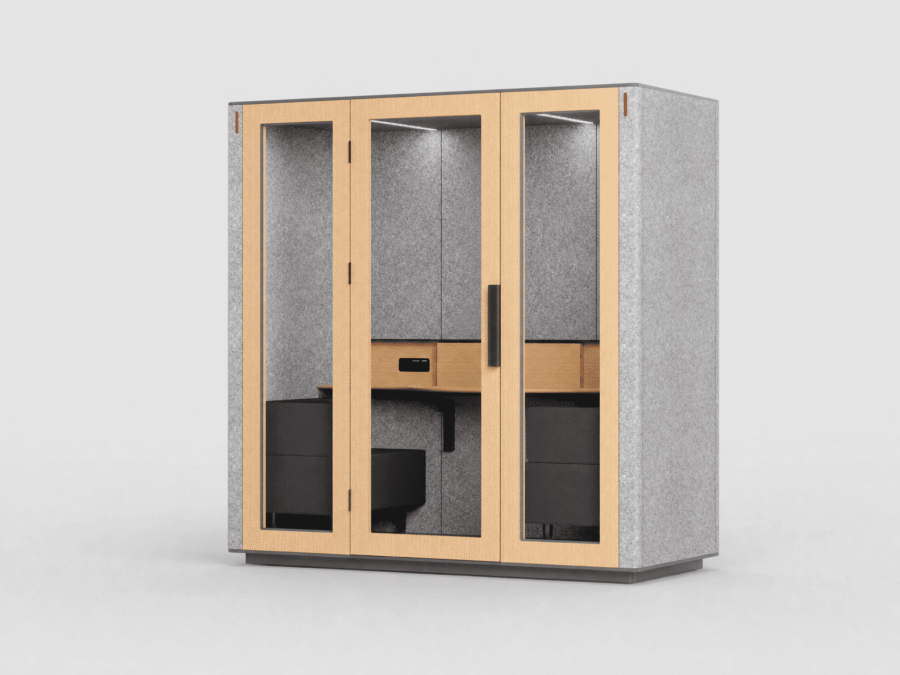
| WorkBooth Four | Up to 4 people | Team discussions, small meetings, and video conferences | Integrated seating, a spacious table, ventilation, power, charging ports, and equipment integration options |
For team discussions and video conferences involving up to four people, a 4 person meeting pod provides a more spacious setting while retaining the flexibility of a modular solution.
WorkBooth Technology
Acoustics and Speech Privacy
Our complete pods have been independently tested and hold Class A certification under ISO 23351-1. TÜV testing verifies the performance of the finished pod rather than individual wall components. With 43 dB of noise reduction, WorkBooth keeps conversations inside private and reduces surrounding office noise below the threshold of intelligibility.
This is speech privacy designed for real office conditions. Users can hold calls, interviews, and confidential conversations without expecting the unrealistic promise of absolute silence.
Professional Video Conferencing and AV Integration
We can configure WorkBooth as more than a private workspace. Depending on the selected model and equipment package, each pod can become a ready-to-use environment for professional video conferencing. Acoustic privacy, lighting, power, connectivity, and compatible AV equipment work together to create a consistent setting for hybrid meetings.
Available integration options include:
- Logitech Brio 705X for WorkBooth One. This 4K webcam provides a clear image for individual video calls. Combined with WorkBooth One’s studio lighting, it creates a controlled on-camera environment away from the distractions of an open-plan office.
- Logitech Tap Scheduler. Installed outside the pod, the scheduling panel displays availability and supports booking through compatible workplace systems.
- Jabra PanaCast 40 for WorkBooth Two. This compact video conferencing solution supports hybrid meetings for two people.
We match AV and scheduling components to the selected WorkBooth model, configuration, and workplace system. This allows the equipment to function as one coordinated setup rather than a temporary collection of separate devices.
Indoor Comfort: Smart Ventilation and Lighting
Comfort inside a compact pod depends on more than acoustics. Our mechanical ventilation, presence-responsive controls, and dedicated lighting support calls, video conferences, and focused work throughout the day.
Smart Ventilation: Fresh Air During and After Use
The ventilation system responds automatically when the pod is occupied. WorkBooth One delivers an airflow rate of 202 m³/h and refreshes the air approximately every 29 seconds during use. After the user leaves, a three-minute purge cycle continues to refresh the interior before the next session.
Users do not need to manage the process manually. WorkBooth Two has an airflow rate of 350 m³/h, while ventilation in each model is designed for its internal volume and intended capacity.
Smart Lighting: Two Settings for Different Tasks
WorkBooth One includes two dedicated lighting settings:
- Task mode provides balanced desk illumination for reading, typing, and focused work.
- Studio mode directs light toward the user’s face to create a clearer, more professional image during video calls.
These lighting modes allow WorkBooth One to function as both an individual workspace and a video conferencing environment without additional lamps or a temporary camera setup.
Power and Device Connectivity
Depending on the model, WorkBooth includes power outlets, USB-A and USB-C ports, and wireless charging. The electrical system supports a 100–240 V input range, allowing the pods to be configured for local power standards in different countries.
WorkBooth One includes one power socket, USB-A and USB-C charging, and wireless charging. WorkBooth Two and WorkBooth Four provide connections on both sides of the table so multiple users can keep their laptops, phones, and tablets powered during a meeting.
Booking, Workplace Integrations, and Usage Statistics
Our open API supports integration with Microsoft Teams, Zoom Rooms, and Google Calendar. WorkBooth can also connect with workplace platforms such as Microsoft 365, Google Workspace, Robin, and Condeco through a compatible scheduling panel. Employees can check availability and reserve a pod through the same system they already use for meeting rooms.
Built-in usage statistics capture occupancy data by pod, hour, and day. Available metrics include average session duration, total users during a selected period, daily session count, and total pod usage time.
We are also developing the WorkBooth Occupancy Dashboard. It will give facilities teams a clearer view of peak usage periods, idle time, and utilization across multiple pods. Together, booking integrations and usage data make WorkBooth part of a measurable and manageable workplace system rather than simply another piece of office furniture.
Customization and Sustainable Materials
We customize WorkBooth to complement the office interior and brand identity. Available options include exterior and interior felt colours, wood veneer or HPL finishes, sofa fabrics for larger models, and custom graphics or branding on the door.
Sustainability is built into the product: 74% of the materials used in WorkBooth come from renewable resources, while 24% are recycled materials. All materials are environmentally responsible and certified, helping companies create better workspaces without compromising their sustainability goals.
Why Companies Choose WorkBooth
- Verified acoustic performance. Class A certification under ISO 23351-1 provides a high level of speech privacy.
- Modular design. Our pods can be installed without permanent walls, moved, and supplemented with additional units as needed.
- Hybrid-work features. Ventilation, lighting, charging ports, booking integrations, and AV compatibility support calls and online meetings.
- A choice of capacities. Our product line includes solutions for one, two, and up to four people.
- Customization. Colours, finishes, and branding can be selected to complement the office interior and corporate identity.
- Responsible materials. Renewable and recycled materials are incorporated into every WorkBooth.
FAQ
How Effectively Do WorkBooth Pods Reduce Sound?
Our pods provide 43 dB of noise reduction and hold Class A certification under ISO 23351-1. Conversations inside remain private, while distracting external noise is reduced below the threshold of intelligibility. WorkBooth is designed for speech privacy and noise reduction rather than absolute silence.
How Long Does Installation Take?
WorkBooth One can be installed in approximately one hour, while WorkBooth Four can be installed in under two hours. The exact timing depends on the model, site access, and conditions at the property.
Can the Pod Be Moved?
Yes. Our models can be equipped with optional casters for repositioning on the same floor. For a move to another floor or office, the pod can be disassembled into modules and reassembled in its new location.
What Customization Options Are Available?
You can select exterior and interior felt colours, wood veneer or HPL finishes, sofa fabrics for larger models, and custom door branding. Our team will help you choose the options available for your selected model and configuration.
How Does the Ventilation System Work?
Ventilation responds automatically to occupancy and continues through a dedicated purge cycle after each use. WorkBooth One refreshes the air approximately every 29 seconds while occupied and runs a three-minute ventilation cycle after the user leaves. WorkBooth Two delivers an airflow rate of 350 m³/h to support two-person sessions.