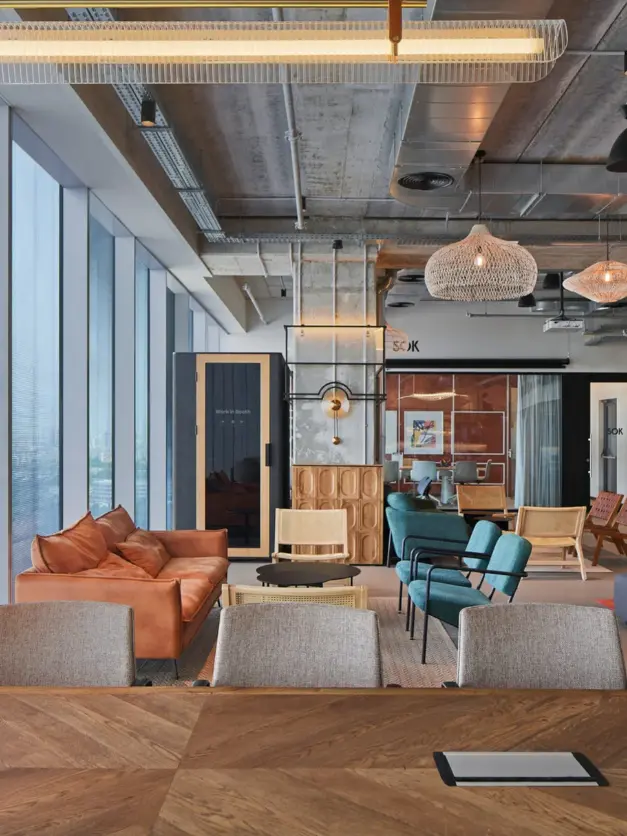


An open office can feel like a busy street — conversations spilling across the floor, people constantly moving between desks, and no quiet corner left for focused work. The constant noise chips away at concentration, muddies communication, and drives up stress.
Our office pods carve out acoustically protected spaces within your existing workplace, with none of the disruption that comes with building permanent rooms. Below, we compare WorkBooth One, Two, and Four to help you find the right fit for your team’s day-to-day needs.
What Is a Smart Office?
Why Noise Disrupts Work
In an open-plan office, employees often need to join video conferences, take phone calls, and complete focus-intensive tasks at the same time. This can create several challenges:
- Background noise disrupts calls.
- Confidential conversations are moved to hallways or whichever meeting room happens to be available.
- Employees find it harder to concentrate on individual work.
- Large meeting rooms are occupied by one person taking a short call.
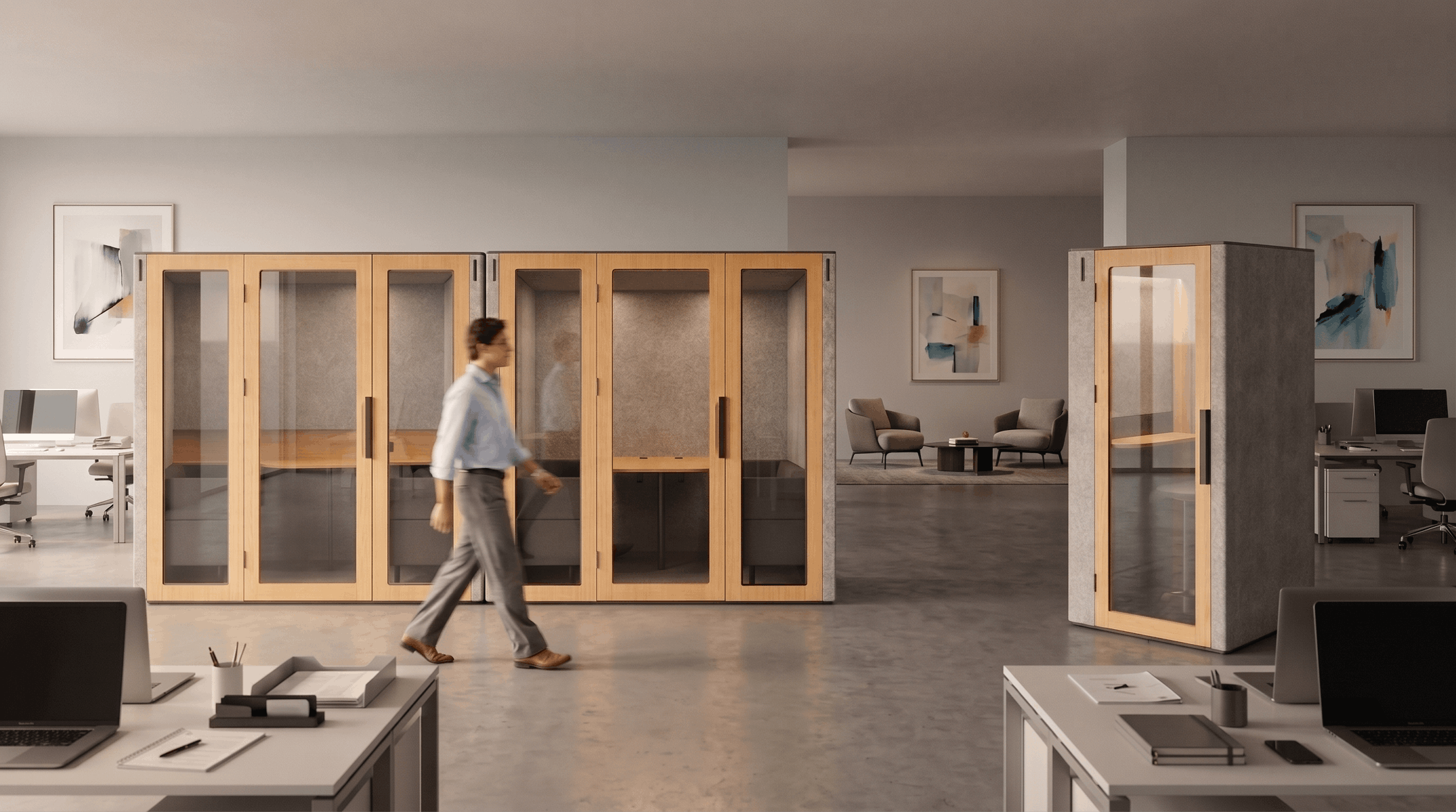
Compact phone booths create private spaces within an existing office without major renovations. We offer one-, two-, and four-person models for individual calls, one-on-one meetings, and small team discussions.
Why WorkBooth Is More Than an Acoustic Booth
Our pods combine:
- Class A speech privacy under ISO 23351-1;
- 43 dB noise reduction;
- powered supply-and-exhaust ventilation;
- automatic activation when a user enters;
- built-in power outlets and charging ports;
- integration options for booking systems and AV equipment;
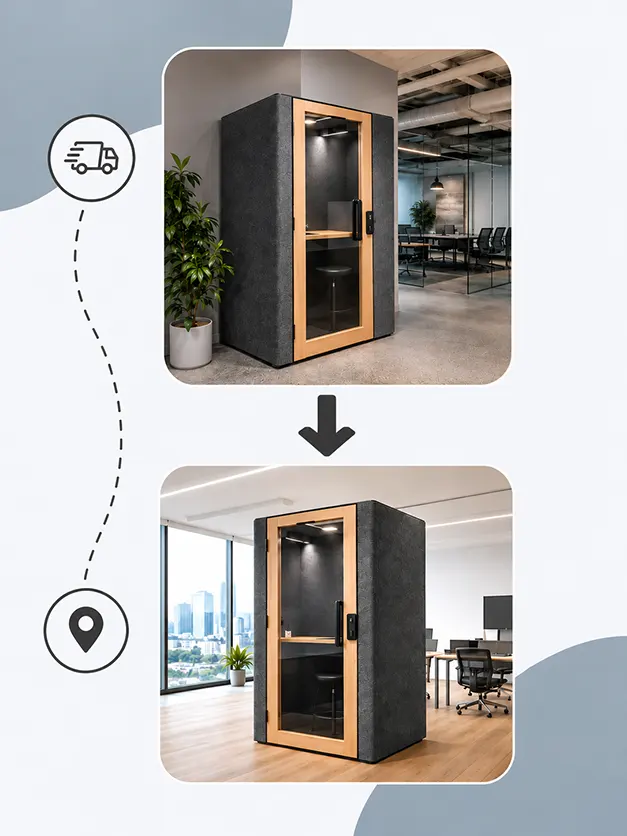
- a modular structure that can be disassembled and relocated.
No office pod is completely soundproof. The more meaningful measure is speech privacy: conversations inside the pod should not remain intelligible outside, while external office noise is reduced to a less distracting level for the person using the pod.
Comparing WorkBooth Models: Which Pod Is Right for Your Team?
When choosing a pod, consider not only its size but also how your team will use it most often. If most requests are for individual calls, a four-person model may be underused. If the team regularly holds meetings with three or four participants, a one- or two-person pod will not replace a small meeting room.
| Model | Capacity | Best For | Ventilation | Noise Reduction |
|---|---|---|---|---|
| WorkBooth One | 1 person | Calls, video meetings, focused work | 202 m³/h airflow | 43 dB |
| WorkBooth Two | 2 people | Interviews, one-on-one meetings, collaborative work | 350 m³/h airflow | 43 dB |
| WorkBooth Four | Up to 4 people | Team meetings, brainstorming, small presentations | Mechanical ventilation designed for four-person use | 43 dB |
WorkBooth One: A Space for Individual Work
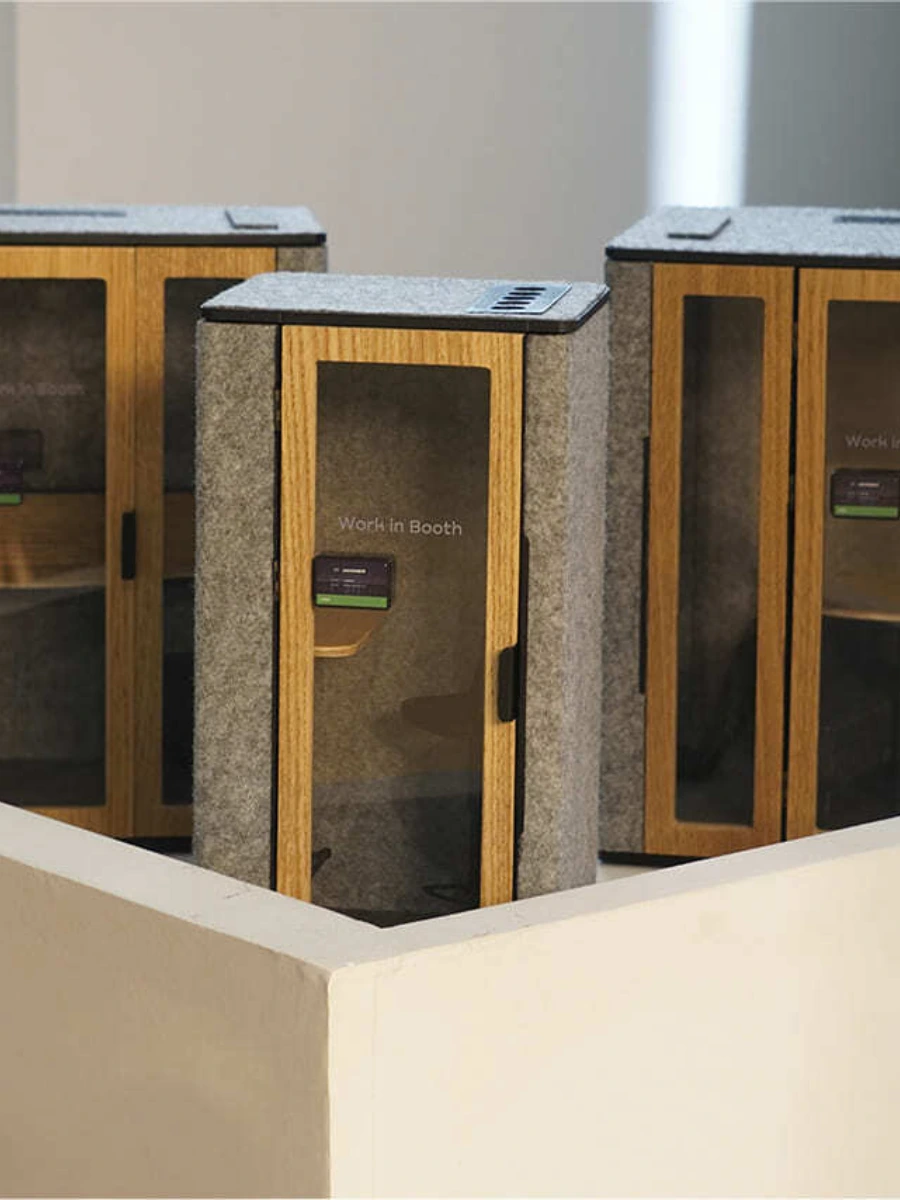
WorkBooth One is a compact phone pod designed for one person. It is a practical choice for:
- phone and video calls;
- confidential conversations;
- tasks that require deep focus;
- extended laptop work sessions.
The pod includes a work surface, an adjustable chair, built-in charging ports, and adjustable ventilation and lighting. Users can switch between everyday task lighting and studio lighting designed for video calls. Ten low-noise fans deliver an airflow of 202 m³/h.
As a starting point, we recommend approximately one WorkBooth One for every 8–12 employees in call-heavy offices and one for every 15–20 employees in a typical open office. Actual demand varies, so usage statistics can help you refine this ratio after installation.
WorkBooth Two: A Meeting Space for Two
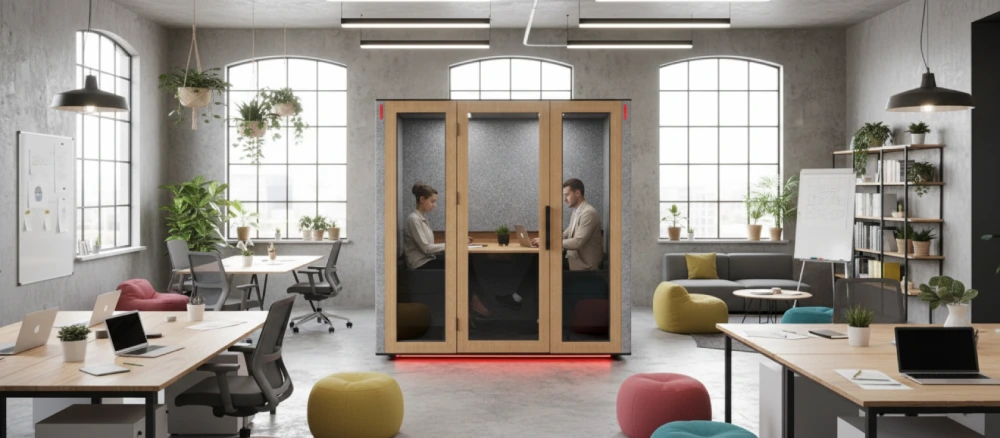
WorkBooth Two is a compact meeting booth for interviews, manager–employee meetings, and collaborative work between two colleagues. It is well suited to:
- interviews without distracting office noise;
- regular one-on-one meetings;
- paired project work;
- video conferences where privacy and clear speech matter.
The pod provides 350 m³/h of airflow and includes built-in power outlets, USB-A and USB-C fast-charging ports, and Type-C laptop charging connections rated at up to 100 W. It can also be configured with an integrated display for hybrid meetings.
WorkBooth Four: A Small Meeting Room for Teams
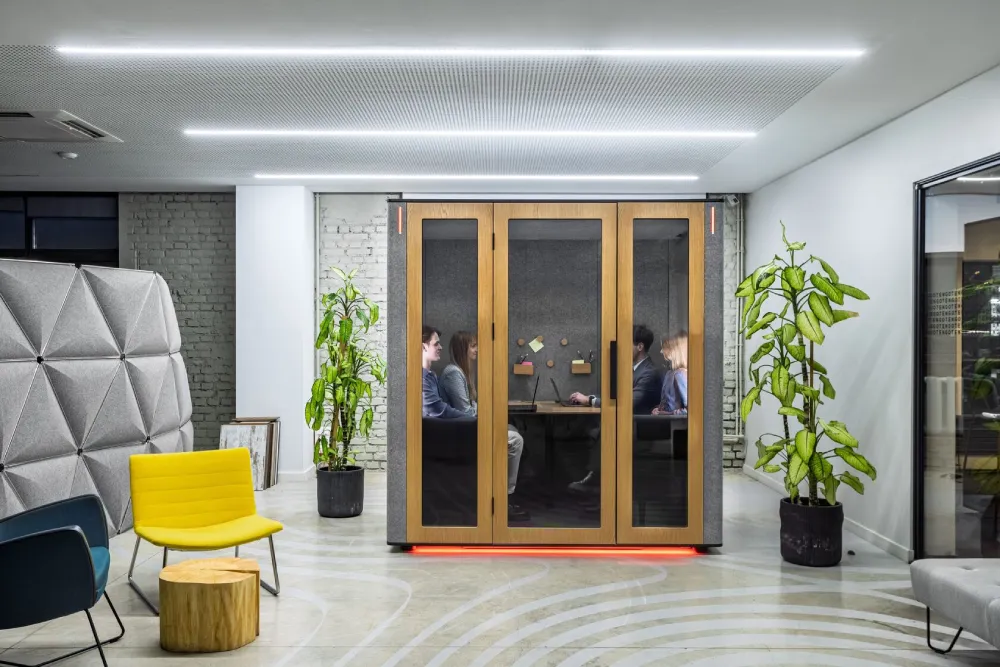
WorkBooth Four is a modular conference pod for teams of up to four people. It is designed for:
- small team meetings;
- brainstorming sessions;
- cross-functional discussions;
- short presentations and video conferences.
This model adds a self-contained meeting space where building a permanent room would be impractical or unnecessarily disruptive. It includes integrated seating and a table, built-in power and charging, and options for a display and video-conferencing equipment.
A Quick Model Selection Test
- Who will use the pod most often?
• One person: consider WorkBooth One.
• Two people: consider WorkBooth Two.
• Three or four people: consider WorkBooth Four. - What will the pod be used for most often?
• Calls and focused work: One.
• Interviews and one-on-one meetings: Two.
• Team discussions and presentations: Four. - How are your existing meeting rooms being used?
• If individual employees regularly occupy them for short calls, WorkBooth One can free up larger rooms.
• If your office lacks space for brief two-person meetings, WorkBooth Two is the more practical choice.
• If the main issue is a shortage of small team meeting rooms, WorkBooth Four is the best fit.
After installation, usage statistics can reveal actual demand and help you decide whether the office needs additional pods.
Request a ConsultationContact us to discuss your office layout and choose the right configuration.
Logitech Integration: Equipment for Hybrid Work
As a Logitech Collaboration Partner,we offer scheduling and AV options tailored to each WorkBooth model. WorkBooth One supports Logitech Tap Scheduler and the Logitech Brio 705X camera, while WorkBooth Two supports Tap Scheduler and Jabra PanaCast 40. For WorkBooth Four, we select display and video-conferencing equipment to suit the meeting setup.
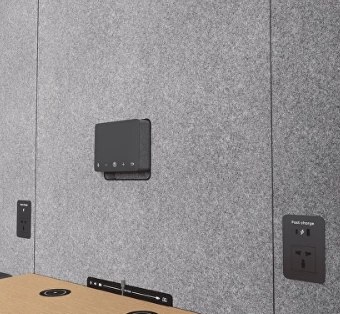
Logitech Tap Scheduler
Logitech Tap Scheduler shows pod availability at a glance and makes it easier to manage bookings. Employees can check whether the pod is free and reserve it through a supported company system.
Calendar and Platform Integrations
Our open API supports integrations with Microsoft Teams, Zoom Rooms, and Google Calendar. We coordinate the booking and AV setup with each client so that the selected configuration works with the company’s existing tools and IT environment.
What the IT Team Should Plan For
- A stable network connection for video conferencing;
- Compatibility between employees’ laptops and the selected AV equipment;
- An electrical outlet near the installation location;
- Corporate network requirements and device-access policies;
- The selected booking platform and the required API integration method.
The exact equipment package depends on the model and configuration. WorkBooth units accept 100–240 VAC input, allowing the electrical setup to be adapted to local power standards.
Key Benefits of WorkBooth Office Pods
Speech Privacy and Acoustic Comfort
Our complete pods achieve 43 dB noise reduction and Class A speech privacy under ISO 23351-1. The testing covers the fully assembled pod—not just individual wall materials.
This makes WorkBooth suitable for:
- confidential work conversations;
- video conferences with less distracting background noise;
- quiet individual work;
- reducing distractions for both the pod user and colleagues in the open office.
Speech privacy does not mean absolute silence. Instead, it means that conversations inside the pod are no longer intelligible to people outside it under normal office conditions.
Powered Ventilation and Automated Operating Modes
Our pods use powered supply-and-exhaust ventilation to keep air moving while the space is occupied. WorkBooth One delivers 202 m³/h of airflow, while WorkBooth Two delivers 350 m³/h.
The smart ventilation system can:
- operate while the pod is in use;
- continue running after the user leaves;
- activate every hour while the pod is unoccupied;
- start 20 minutes before the working day begins.
Because airflow is matched to each pod’s size and capacity, employees can use the space comfortably for calls, meetings, and focused work.
Lighting and Automatic Controls
The pod activates automatically when a user enters. WorkBooth One also gives the user direct control over lighting and ventilation and includes a studio-lighting mode for video calls.
Fast Installation and Relocation
We deliver the pods as modules designed to fit through standard office doors and elevators. WorkBooth One can usually be installed in about one hour, while WorkBooth Four can be assembled in under two hours when site conditions are suitable. Installation time may vary depending on access, the number of pods, and the selected configuration.
Because the structure is modular, the pod can be disassembled and reassembled when the office layout changes or the company moves.
An Alternative to Permanent Construction
Our pods are freestanding, non-structural units that do not require permanent alterations to the premises. They typically do not require a renovation permit, although every facilities team should verify local building, fire-safety, accessibility, and lease requirements before installation.
Compared with constructing a permanent meeting room, a modular pod can offer:
- less disruption to existing finishes;
- faster installation;
- the option to relocate the unit;
- a clearly defined equipment package;
- no prolonged construction work inside an active office.
Every office project is different. When comparing a pod with permanent construction, consider the full scope of both options: design and engineering work, permits, construction, downtime, delivery, installation, and the selected pod configuration.
How to Estimate Potential Productivity Losses Accurately
To understand the potential business impact of workplace distractions, start with a simple planning formula:
Number of employees × hours lost × hourly labour cost × number of working days
For example, if 50 employees each lose one hour per day and labour costs €15 per hour, the estimated loss is €750 per day. This is an illustrative calculation, not a universal benchmark. For a useful estimate, replace each input with data from your own workplace.
Our fast installation process can reduce construction work and the disruption it creates for day-to-day operations.
Contact Us
FAQ
How Effectively Does WorkBooth Reduce Noise?
Our pods provide 43 dB noise reduction and Class A speech privacy under ISO 23351-1. This protects the intelligibility of conversations but does not mean the pod is completely soundproof.
Which Model Should I Choose for Individual Calls?
WorkBooth One is designed for individual calls, video meetings, and focused work.
Which Model Is Suitable for Interviews and One-on-One Meetings?
WorkBooth Two accommodates two people and is designed for interviews, one-on-one meetings, and collaborative work.
Can the Pod Be Integrated With a Booking System?
Yes. Our open API supports integrations with Microsoft Teams, Zoom Rooms, and Google Calendar. We can help align the integration with the selected model, configuration, and your company’s existing IT environment.
Can the Pod Be Relocated After Installation?
Yes. Its modular structure allows the pod to be disassembled and reassembled in a new location. Relocation requirements depend on the model and access to the premises.
How Long Does Installation Take?
WorkBooth One can usually be installed in about one hour, while WorkBooth Four can be assembled in under two hours when site conditions are suitable. Exact timing depends on access, the number of pods, and the selected configuration.