

A modern office is more than just a place to work — it’s a strategic asset that drives productivity and controls costs. True space optimization isn’t about reducing square footage; it’s about creating a smart, flexible environment where every square meter supports your people and your goals.
We design and manufacture modular office booths that are already in use at companies of all sizes. Drawing on this experience, we’ve compiled practical tips to help you make your office more productive — and we’ll show you how our booths can boost efficiency without the need for renovations or extra costs.
What Is Office Space Optimization and Why Does It Matter Today?
Optimization starts with understanding how the office is actually used; which meeting rooms are overcrowded, which ones sit empty, how many people show up on different days, and how much it costs to maintain every square foot.
With this data, a company can trim unnecessary space, add quiet zones for focused work, or create areas for collaboration. It also helps cut operating expenses.
In a hybrid model, office usage changes daily. One day there aren’t enough desks, the next half the office is empty. To avoid chaos and overspending, the space needs to be designed for this kind of flexibility.
Optimization makes it possible to keep only the areas people really need, add modular solutions for peak days, and use booking systems to balance the workload.
The result: the office becomes a managed resource — running at full efficiency and supporting the team in any scenario.

A well-designed office environment reduces noise and stress, helps people focus, and makes it easy to switch between tasks. Quiet zones boost concentration, while meeting rooms speed up collaboration. The result: employees work more efficiently and feel more engaged.
The Key Benefits of Smart Office Planning
Boosting Productivity and Employee Well-Being
A well-organized workspace gives a company several immediate advantages:
- Less noise and stress means fewer mistakes and faster task completion.
- Quiet zones help employees focus more deeply, improving work quality and reducing time spent.
- Collaboration areas make teamwork smoother — meetings become faster and more purposeful.
As a result, the business gains more productive hours, stronger team engagement, and higher retention — all of which directly impact profit and sustainable growth.
Significant Cost Savings
Smart planning helps a company see exactly how much space it really needs. This makes it possible to cut excess square footage and pay only for the areas that are used every day.
Intelligent solutions — like automated lighting, sensor-based ventilation, and booths that switch to sleep mode — reduce electricity and HVAC bills.
Streamlined flows of people and equipment also cut cleaning and maintenance costs. The result: the business saves money without sacrificing employee comfort.
Flexibility and Growth Readiness
As a business grows, teams and work formats change. Modular solutions allow the office to adapt to new needs without expensive renovations or relocations.
Booths and mobile furniture can be easily added or moved wherever they’re needed. This saves time, reduces costs, and turns the office into a growth tool rather than a burden.
The company can expand quickly, shift its structure, and keep business processes running without disruption.
5 Practical Strategies to Optimize Your Office
1. Start with Data: Assess Real Space Usage
Don’t base your plans on guesswork — first, assess your current space. Look at how the office is actually being used and gather real facts:
- Run employee surveys — they’ll tell you where quiet zones are needed and which areas stay empty.
- Check booking system stats — overloaded meeting rooms and unused spaces will stand out immediately.
- Use access control data — it shows how many people actually work in different zones and which days the office is busiest.
- Compare these numbers with your rent and maintenance costs — this reveals which areas truly deliver value.
This kind of analysis turns assumptions into actionable insights and shows which zones to develop and which to repurpose.
2. Design Zones for Different Work Styles
An office should support different ways of working — not force everyone into the same setup.
To give employees real options, consider:
- Quiet zones for focused work.
Dedicate specific areas or use soundproof office pods so people can concentrate without distractions. - Spaces for collaboration.
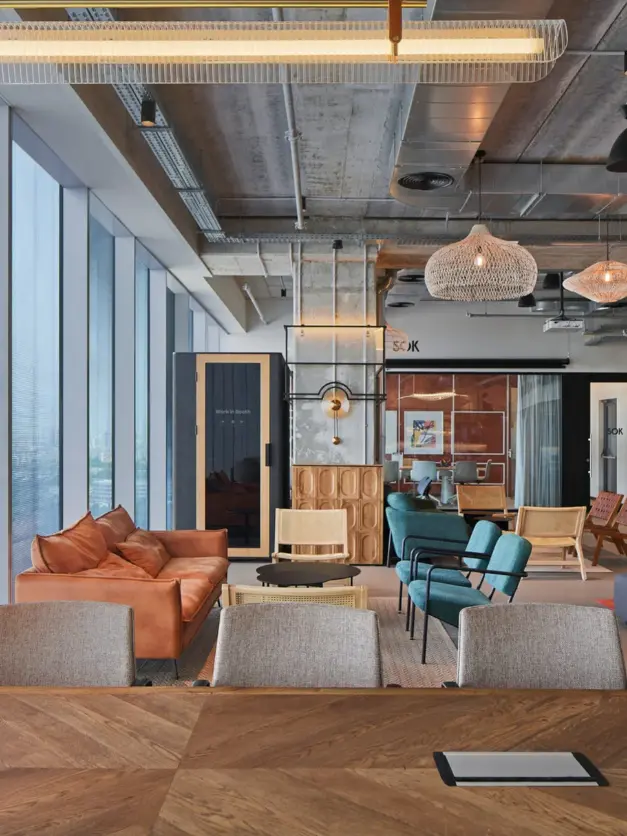
Create areas for teamwork — shared tables, meeting rooms, or small pods for 2–4 people. This speeds up communication and relieves pressure on the open space. - Lounge areas and flexible work spots.
Add comfortable sofas, armchairs, or high tables for quick catch-ups, brainstorming sessions, or informal conversations. - Balance between open and private spaces.
Make it easy to switch from open layouts to private areas, from team discussions to solo work.
This kind of zoning builds flexibility and improves the employee experience: people don’t get in each other’s way, it’s easier to focus, and collaboration flows more smoothly.
3. Embrace Flexible, Modular Solutions

A modern office should evolve alongside the company. Static layouts make it harder to respond quickly to team growth or new tasks.
Here’s what helps:
- Mobile furniture — desks, rolling partitions, foldable chairs, and height-adjustable workstations let you reconfigure the office in minutes.
- Modular structures that don’t require major renovations — lightweight walls, partitions, mobile storage units.
- Soundproof office pods for privacy — an “office within the office” that can be installed in just a few hours, instantly creating a quiet space for calls or small meetings.
- Power outlets and internet access points placed in multiple spots, so employees can move freely without being tied to one fixed setup.
The business wins with lower construction costs, faster setup of new workstations, and the flexibility to scale without relocation.
4. Rethink Underused Spaces

Every office has areas that sit idle — corners, wide hallways, spots near elevators or windows. They take up space and drive up costs.
Here’s how to make them work:
- Add mini phone booths in corners or along walls — they take up minimal space but solve privacy issues.
- Turn wide hallways into lounge areas — add a sofa, coffee table, and charging points. This creates a handy spot for quick meetings and takes pressure off the meeting rooms.
- Use window areas or “low-traffic” zones for single workstations with tall acoustic panels. Employees get focused workspaces without building new rooms.
- Split underused meeting rooms into two WorkBooth pods. Instead of one rarely booked room, you’ll have two high-demand quiet spaces for calls and deep work.
The result: dead zones turn into valuable resources, making the office more compact, convenient, and cost-efficient.
5. Integrate Smart Technologies
- Implement booking systems for desks and meeting rooms. Employees can reserve a booth or room in advance, while you gain clear stats on which areas are busy and which sit unused.
- Use smart lighting with motion sensors, adjustable brightness, and modes like “work light” or “video call.” This eases eye strain and saves electricity.
- Set up an occupancy dashboard to track real data — how long booths are in use, peak times, and where free resources are available.
- Integrate the office with corporate tools like Microsoft Teams, Outlook, or Tap Scheduler to simplify planning and sync the physical space with digital workflows.
The result: your office becomes fully manageable. You spend less on utilities and maintenance, while employees enjoy a comfortable, tech-enabled environment.
Technology Changes Everything: How Smart Booths Redefine the Office
Office optimization isn’t about shuffling furniture — it’s about implementing solutions that deliver real business value.
Modern soundproof office booths are more than just pods; they’re fully functional work tools. They integrate with booking systems like Microsoft Teams and Outlook, automatically adjust ventilation and lighting for comfort, and provide usage analytics through dashboards that show how often booths are occupied and which office zones are performing best.
The result: companies manage space based on accurate data, not guesswork — cutting costs and boosting employee productivity.
WorkBooth: A Ready-Made Solution to Optimize Any Office
We build modular, automated office spaces for you — a turnkey solution with no dust, no downtime, and no wasted hours on traditional renovations.

Explore our range of soundproof phone booths.
For Focused Work and Confidential Calls: WorkBooth Lite & WorkBooth One
WorkBooth Lite and WorkBooth One are ready-to-go solutions for eliminating noise and creating private workspaces.
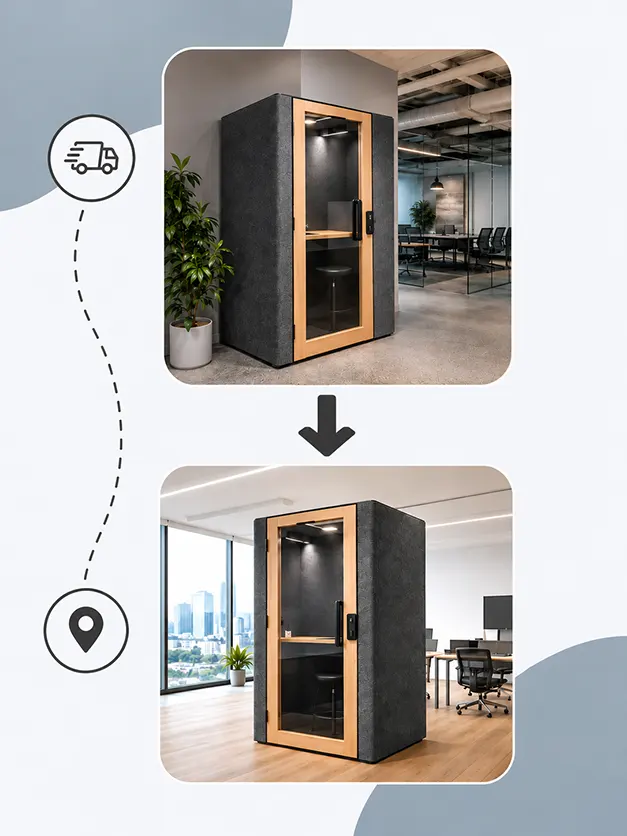
Instead of costly construction, companies get mobile soundproof office pods that can be installed in just a few hours and immediately boost efficiency.
Leave a request
Business benefits:
- Higher productivity. Open-space noise kills concentration and hurts results. Soundproof phone booths provide a quiet environment for calls and focused tasks, reducing wasted time and errors.
- Cost optimization. Building new meeting rooms means dust, noise, and lost workdays. WorkBooth requires no construction and can be easily relocated during office moves, cutting expenses and making space usage more flexible.
- Stronger professional image. The quality of online meetings depends on sound and background. With Logitech integration and smart acoustics, video calls are clear and professional — building trust with clients and partners.
- Employee loyalty. Comfortable conditions reduce stress and turnover. Built-in ventilation and dual-mode lighting make the booths pleasant to use, improving overall well-being.
For Teamwork and Meetings: WorkBooth Two & WorkBooth Four
When a team gets together to collaborate, the space needs to be both comfortable and functional.
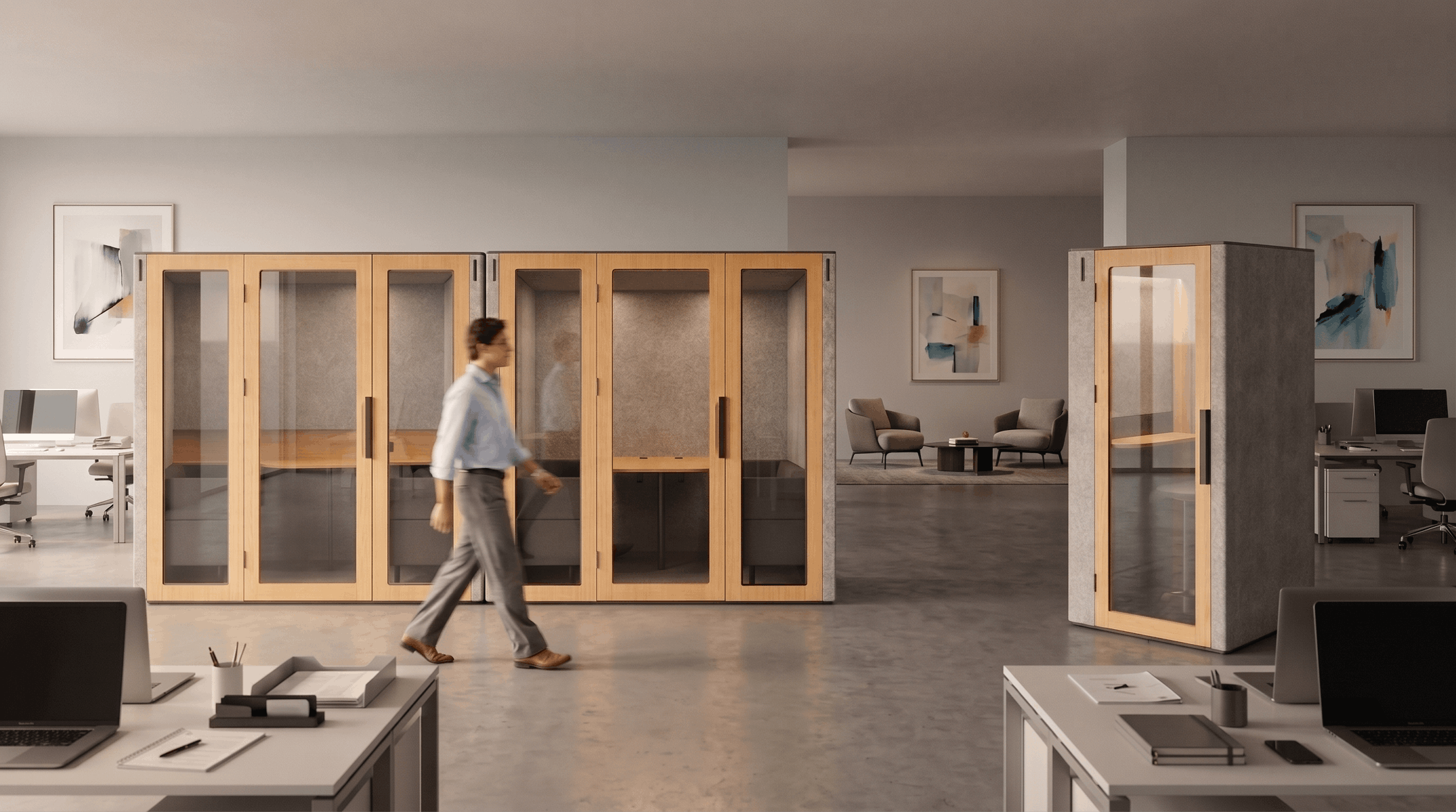
WorkBooth Two and WorkBooth Four are designed exactly for that. Inside, you’ll find a spacious table, built-in sofas, and charging ports for every participant.
Leave a request
What businesses gain:
- Quiet, distraction-free meetings without the noise of the open space.
- A flexible alternative to traditional meeting rooms — booths are installed in just one day, with no renovations or downtime.
- Easy scheduling through Tap Scheduler, which shows real-time availability.
- Space efficiency — instead of a large permanent room, you get a compact, fully equipped meeting space.
- Scalability — as teams grow, booths can be relocated or new ones added quickly.
Optimization for the Hybrid Model: How WorkBooth Helps Manage a Flexible Office
The hybrid work model makes office usage unpredictable.
On some days, too many people show up, and there aren’t enough meeting rooms or quiet zones. On others, half the desks sit empty — yet the company still pays for rent and maintenance. Without proper management, this leads to chaos and unnecessary costs.
WorkBooth solves this with smart technology:
- Booking systems integrated with Outlook and Microsoft Teams let employees reserve booths and workstations in advance.
- Upcoming Occupancy Dashboard shows real usage data across office zones, helping predict both peak and quiet days.
- Together, these tools work as full-scale space management software, giving leaders the data they need to make precise decisions.
Business benefits:
- An office that adapts to real demand instead of standing idle.
- No overload on peak days thanks to balanced workstation distribution.
- Budget savings by eliminating excess square footage.
FAQ
How does space optimization save money?
Smart planning reduces rent costs — no more overpaying for unused square footage.
Intelligent systems cut utility bills: for example, WorkBooth pods switch to sleep mode when not in use. And there’s no need to build permanent meeting rooms — saving both time and budget.
How can you create private space in an open office?
The fastest way is to install modular acoustic booths.
WorkBooth booths can be set up in just a few hours — no renovation, no noise, no dust.
Soundproofing ensures quiet and comfort even in the busiest open space.
How does WorkBooth improve the employee experience?
WorkBooth pods provide fresh air with the Advanced Ventilation System, proper lighting, and convenient outlets within reach. Ergonomics are designed to make work effortless. Most importantly, employees get the freedom to choose where and how they work — boosting productivity and overall comfort.
Make Your Office More Efficient Today
Optimizing space is an investment. It drives productivity, strengthens culture, and prepares your company for the future.
With WorkBooth, you get a ready-made solution: quiet pods for calls, comfortable spaces for teams, and flexible tools to manage your office. All without renovations, extra costs, or wasted time.
Explore WorkBooth models and build an office people love to work in.