

A modern office can look impressive while still being impractical for day-to-day work. Noise, a shortage of meeting rooms, and back-to-back video calls make it harder to focus, create competition for enclosed spaces, and reduce team efficiency.
A smart office starts with better control over acoustics, privacy, and space use. One of the fastest ways to add enclosed workspaces without major renovations is to install modular office pods.
At WorkBooth, we combine acoustic privacy, ventilation, lighting, automated operating modes, and room-booking integrations into one ready-to-use solution. Our pods ship in modules and can be installed much faster than traditional meeting rooms take to build.
What Is a Smart Office?
A smart office is a workplace where technology and thoughtful space planning help employees focus, collaborate, and work effectively in a hybrid environment. Typical smart office solutions include quiet areas, automated systems, room-booking tools, and workspace usage data.
These technologies are especially valuable in hybrid offices, where attendance levels and the ways people utilize the workplace can change throughout the week. Instead of taking on a large-scale renovation, a company can add dedicated spaces for calls, focused work, and small meetings.
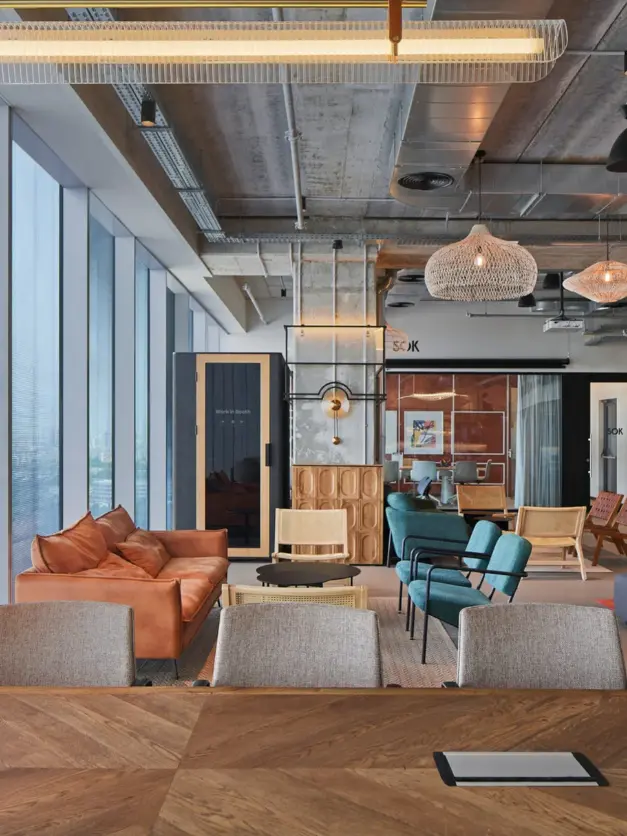
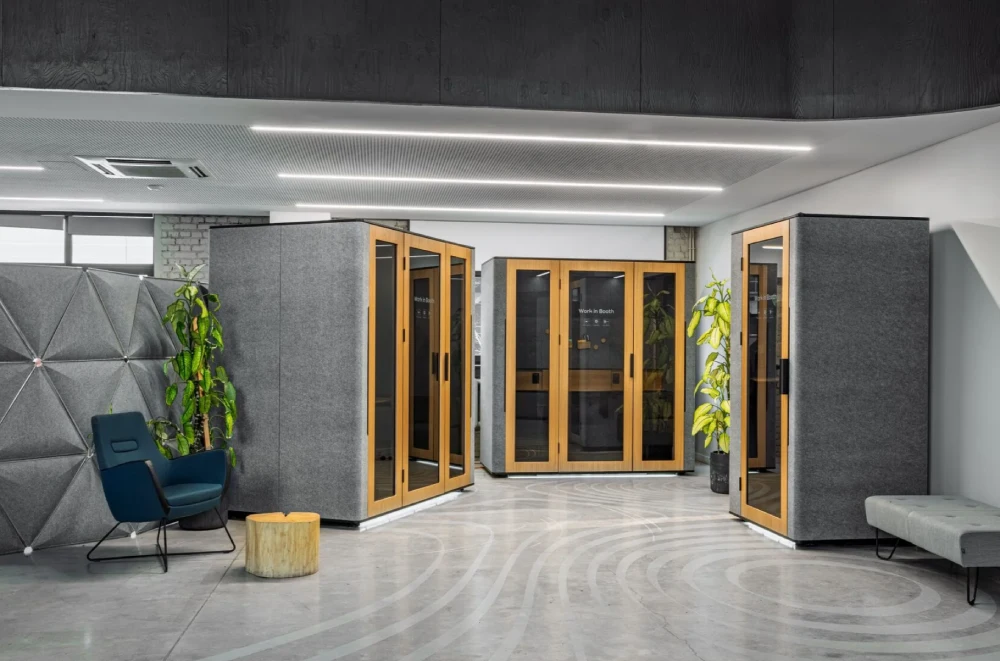
This is where an acoustic booth office setup can make a meaningful difference. WorkBooth transforms underused areas into private workspaces, taking the pressure off open desks and overbooked meeting rooms.
As a result:
- important conversations take place with fewer distractions;
- employees can find a suitable place for a call or deep work more easily;
- large meeting rooms remain available for gatherings that genuinely require more space.
Benefits of a Smart Office for Your Business
Improved Focus
A dedicated acoustic pod reduces the impact of conversations and other sounds from an open-plan office. Employees gain an enclosed space for calls, video meetings, and tasks that require concentration.
A Better Hybrid Work Experience
Office pods provide reliable spaces for online meetings and brief discussions. When connected to a compatible booking system, employees can check availability in advance and plan their workday more effectively.
A Stronger Employer Brand
A comfortable work environment shows employees that their needs matter. Access to quiet spaces is particularly important for teams that regularly attend online meetings or handle confidential information.
More Efficient Use of Space
Modular pods make it possible to create small, enclosed areas without building permanent rooms. They help companies use underutilized floor space more effectively while reducing pressure on larger meeting rooms.
Smart Office Technology Integrated into WorkBooth
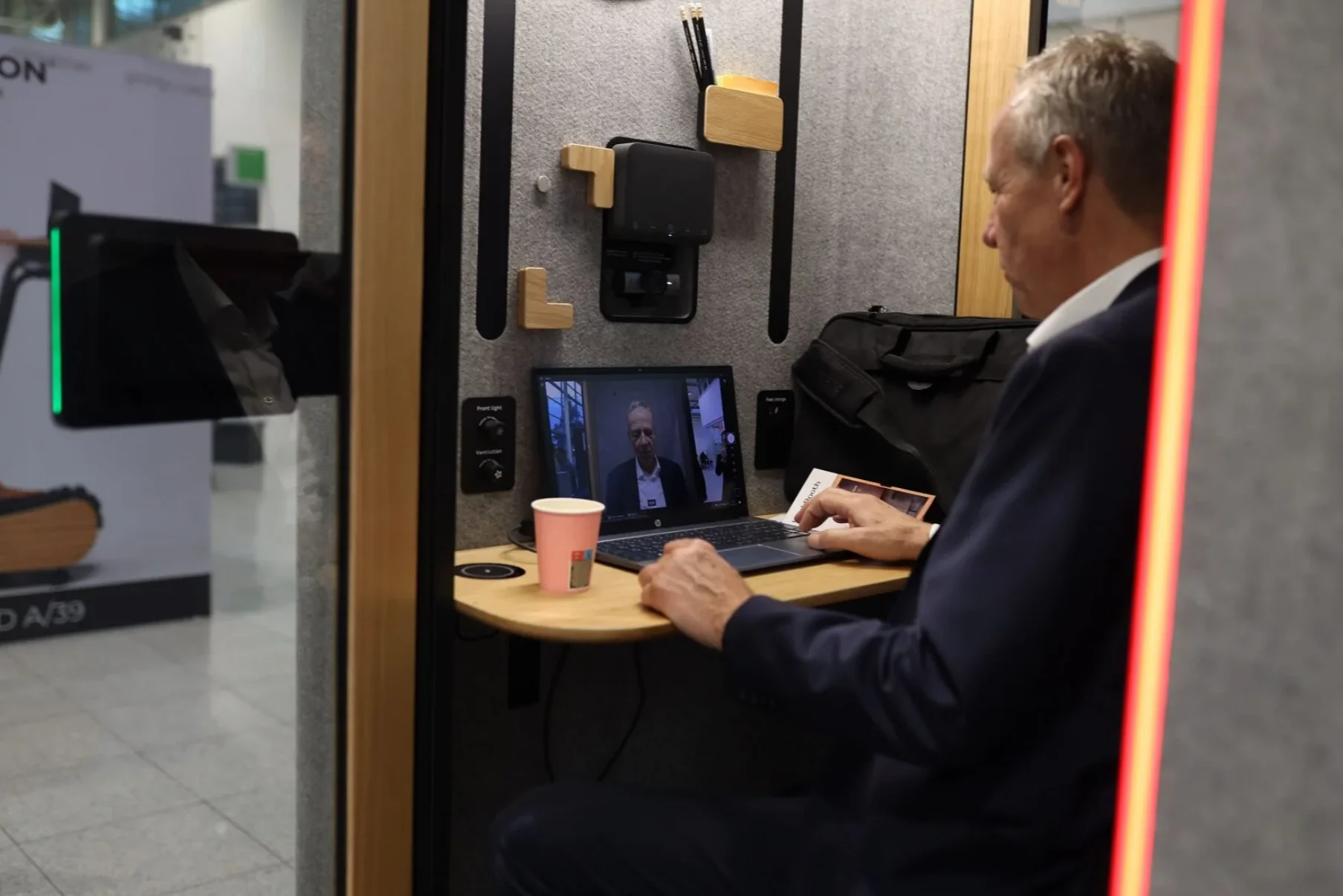
Intelligent Booking and Space Management
Our open API supports integration with Microsoft Teams, Zoom Rooms, and Google Calendar. WorkBooth can also connect with major booking platforms, including Microsoft 365, Google Workspace, Robin, and Condeco, through a scheduling panel such as the Logitech Tap Scheduler.
Installed outside the pod, the scheduling panel displays its real-time status so employees can immediately see whether the space is available, occupied, or reserved. A typical booking-system setup takes approximately 30 minutes, although the exact time depends on your company’s IT environment and selected hardware.
This helps companies:
- reduce conflicts over occupied spaces;
- keep large meeting rooms available instead of using them for individual calls;
- make workspace availability more transparent.
Professional Video Conferencing Equipment
As a Logitech Collaboration Partner, we offer AV and scheduling options tailored to each model. WorkBooth One is compatible with the Logitech Brio 705X and Logitech Tap Scheduler. WorkBooth Two and WorkBooth Four are compatible with the Logitech Tap Scheduler and Jabra PanaCast 40.
These integrations turn an acoustic pod into a professional space for video calls and hybrid meetings. Teams can enter the pod, connect, and start a meeting without having to build or equip a separate conference room.
Usage Analytics and Space Optimization
WorkBooth provides usage statistics by individual pod, hour, and day. These reports help facilities teams understand how often each space is used and whether the current number of pods matches employee demand.
We are also developing the WorkBooth Occupancy Dashboard. It will give facility managers a clearer view of peak usage periods, idle time, and space efficiency, making it easier to plan future workspace improvements using real utilization data.
Automated Ventilation and Lighting
Each WorkBooth uses microcontroller-based smart controls. When someone enters, the main systems activate automatically. Ventilation responds to occupancy and continues through dedicated operating cycles after each user and during periods when the pod is unoccupied.
WorkBooth One delivers an airflow rate of 202 m³/h and refreshes the air approximately every 29 seconds while occupied. After each session, the system runs a three-minute purge cycle to prepare the pod for the next user. WorkBooth Two delivers an airflow rate of 350 m³/h.
WorkBooth One also includes adjustable overhead lighting and studio lighting for video calls. Users can create a comfortable setting for focused work or improve facial lighting during video meetings without adding external fixtures.
WorkBooth Pods for Different Modern Office Needs
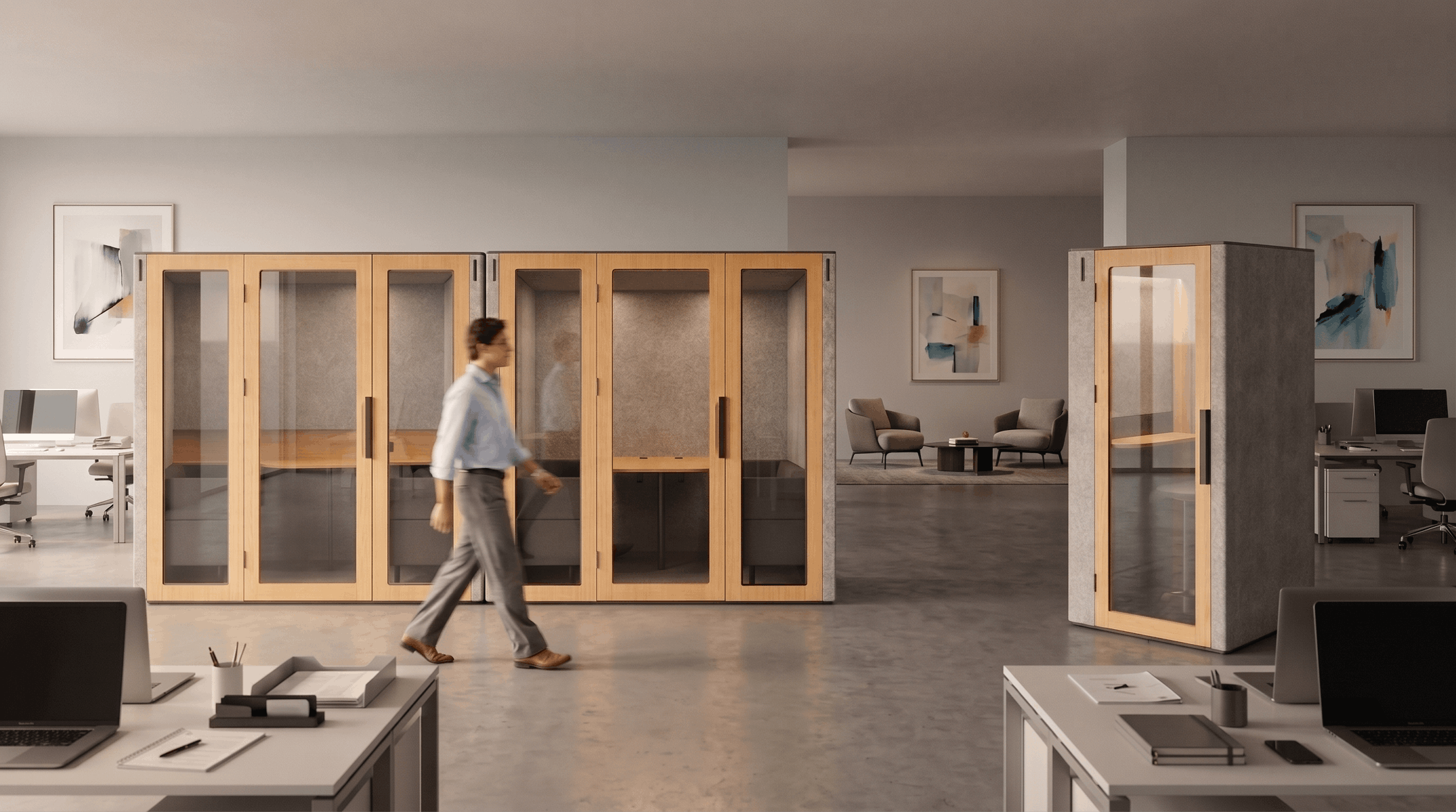
Our product line includes WorkBooth One, WorkBooth Two, and WorkBooth Four. Designed for workplaces worldwide, the models accommodate one, two, and up to four users, respectively.
WorkBooth One: A Private Space for Calls and Focused Work
WorkBooth One is a private phone booth for office environments, designed for one person. It is ideal for phone calls, video meetings, and individual work without the constant distractions of an open-plan office.
Key use cases include:
- confidential business calls;
- video interviews and webinars;
- online meetings;
- focused individual work.
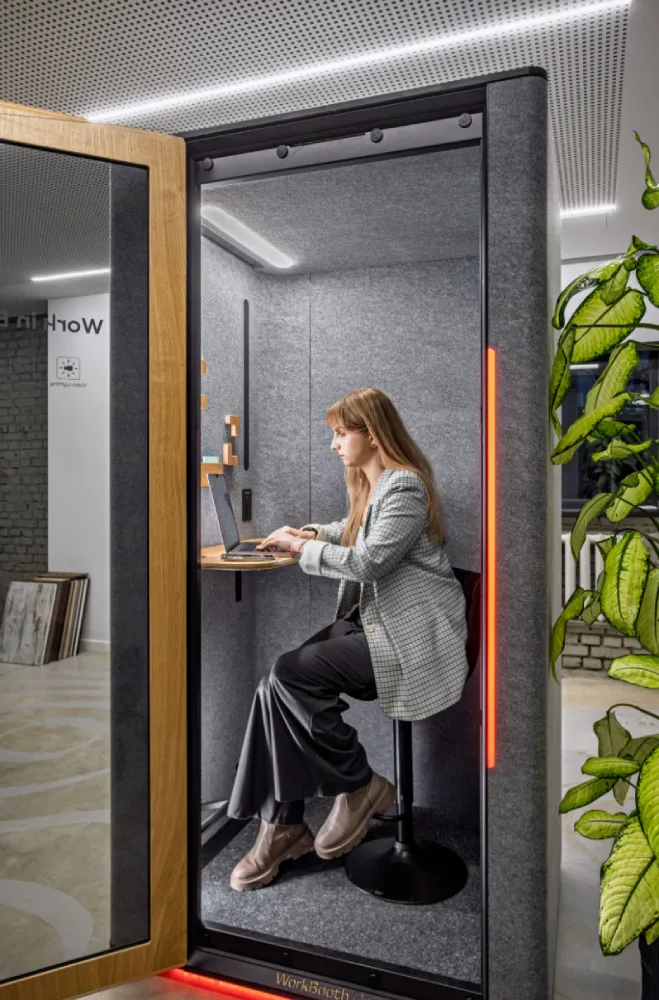
WorkBooth One provides 43 dB of noise reduction, an airflow rate of 202 m³/h, adjustable lighting, and operating-mode power consumption of 50 W.
WorkBooth Two: A Compact Space for Two People
WorkBooth Two is a 2 person booth designed for interviews, one-on-one conversations, and collaborative work. It requires less space than a traditional meeting room while providing an enclosed setting for brief meetings.
Key use cases include:
- one-on-one conversations;
- interviews;
- client meetings;
- collaboration between two employees;
- video conferences.
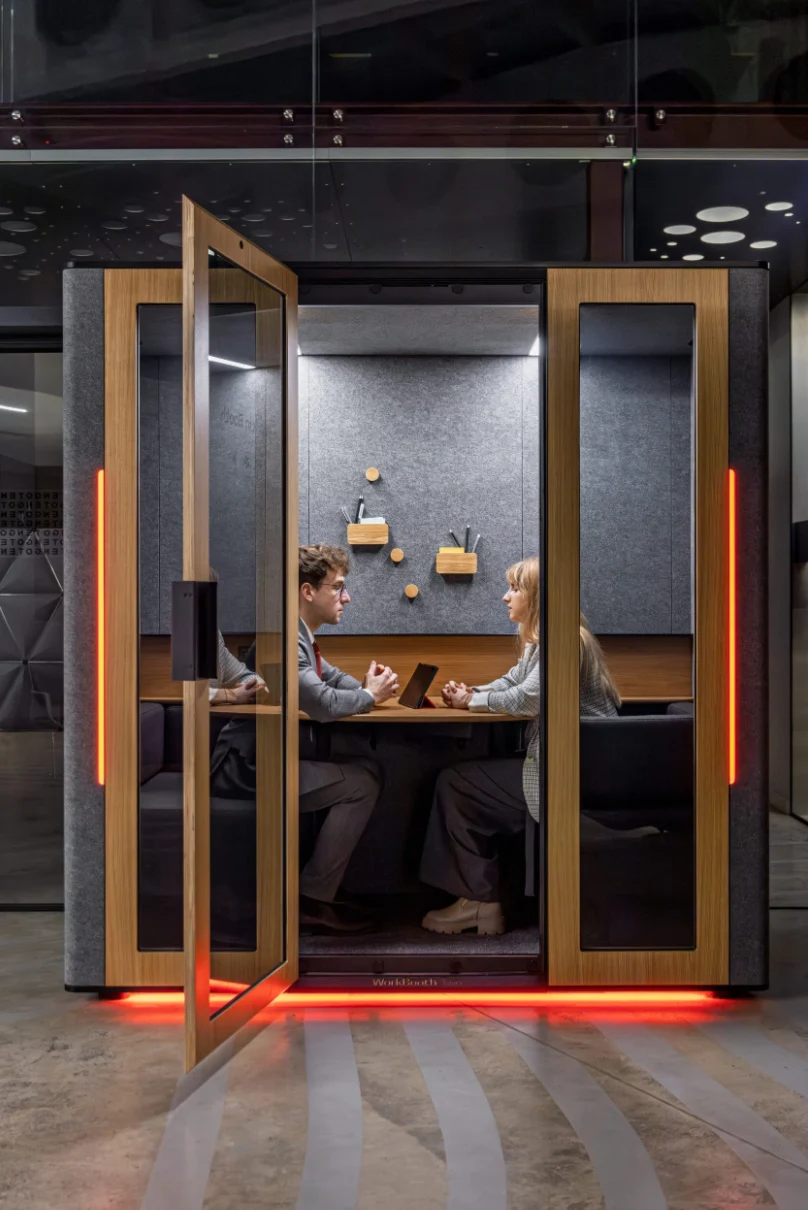
WorkBooth Two provides 43 dB of noise reduction, an airflow rate of 350 m³/h, and operating-mode power consumption of 89 W.
WorkBooth Four: A Small Team Meeting Room
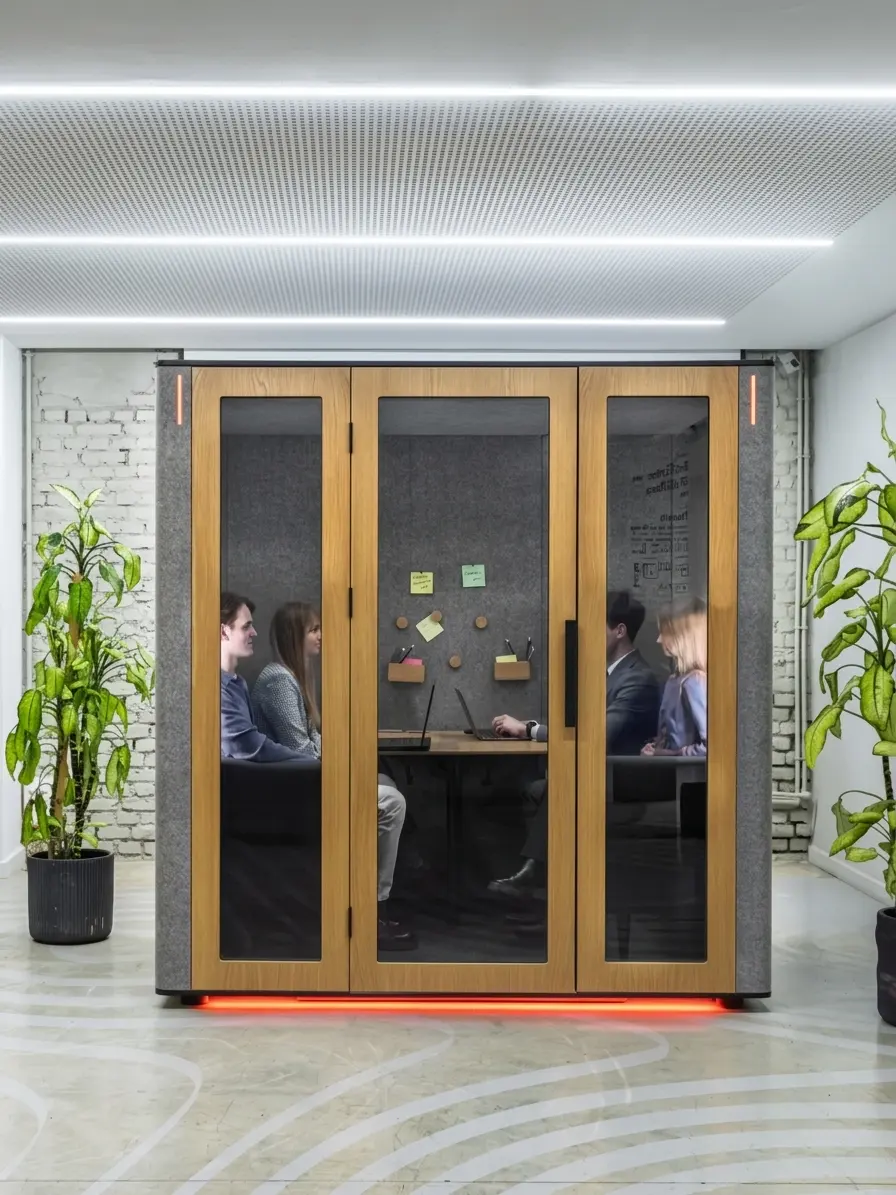
WorkBooth Four is a 4 person office pod for small team meetings, brainstorming sessions, and video conferences. It includes two sofas and a table, making it suitable for conversations that require more room than WorkBooth Two provides.
Key use cases include:
- small team meetings;
- brainstorming sessions;
- client discussions;
- strategic discussions;
- hybrid meetings.
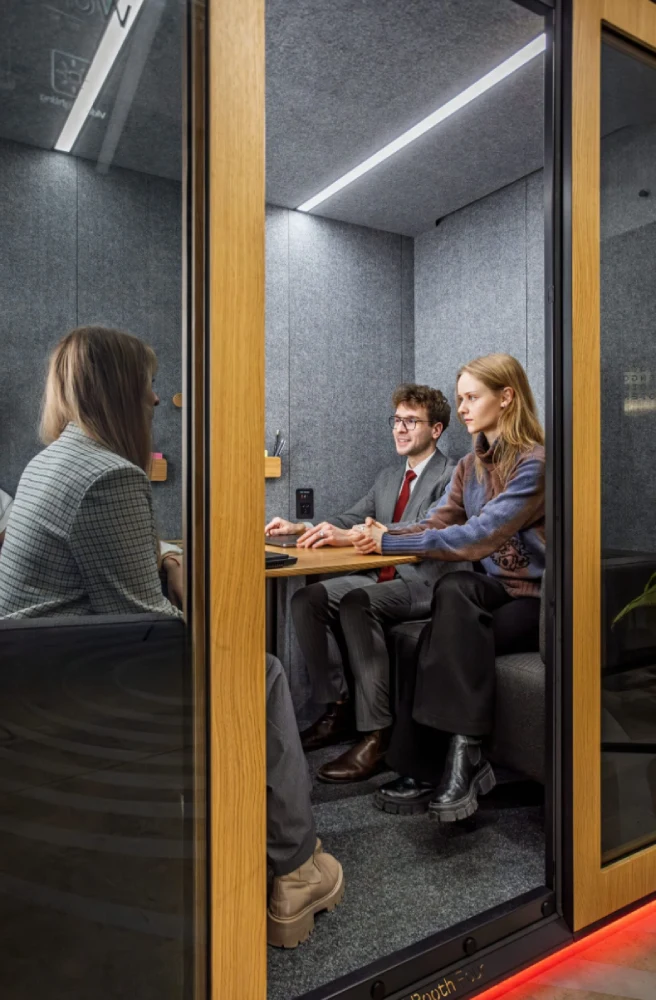
Geotab Case Study: Private Spaces in an Open-Plan Office for 600 Employees
Geotab needed more private work areas in its new open-plan office, which accommodated 600 employees. Its large meeting rooms were in high demand, but they were not an efficient choice for individual work or brief discussions.
We helped Geotab introduce ten WorkBooth pods: nine WorkBooth One units and one WorkBooth Four. By positioning the pods in underutilized areas, we created dedicated spaces for calls, focused work, and small meetings without requiring a major renovation.
Built-in analytics allowed Geotab to track pod utilization. After reviewing the usage data and receiving positive employee feedback, the company decided to add two more WorkBooth Four pods and four additional WorkBooth One units.
The project shows how modular office pods can increase access to private workspaces while preserving the flexibility of an open-plan office.
How to Build a Smart Office with WorkBooth
- Assess Your Workplace Needs
We begin by evaluating how your teams use the office: the number of individual calls, two-person meetings, and small group discussions, as well as the availability of existing meeting rooms. Our space-planning support helps determine how many pods you need and where they should be installed. - Select the Right Models and Configurations
WorkBooth One is designed for one user, WorkBooth Two for two, and WorkBooth Four for groups of up to four. We help you select the right combination based on your required AV equipment, room-booking system, finishes, and available floor space. - Complete Installation and Integration
WorkBooth One can be installed in approximately one hour, while WorkBooth Four can be installed in under two hours. The pods arrive in modules designed to fit through standard office doors and elevators. The final project timeline depends on the models selected, the number of pods, and conditions at the installation site.
Once installation is complete, we can connect a compatible scheduling panel and integrate the pod with your existing room-booking system.
Why WorkBooth Is a Smart Choice for Modern Offices
Is your office too noisy? Are meeting rooms always in short supply? Is workplace chaos eating into the workday? WorkBooth creates quiet, organized spaces where distractions once took over. Employees can work more efficiently, meeting rooms stay available, and the entire workflow becomes more predictable.
Verified Speech Privacy
Our pods achieve Class A speech privacy under ISO 23351-1 and provide 43 dB of noise reduction. Conversations inside remain private, while distracting sounds from the surrounding office are reduced below the threshold of intelligibility. Like all office pods, WorkBooth is designed for speech privacy and noise reduction rather than absolute silence.
Flexible Modular Construction
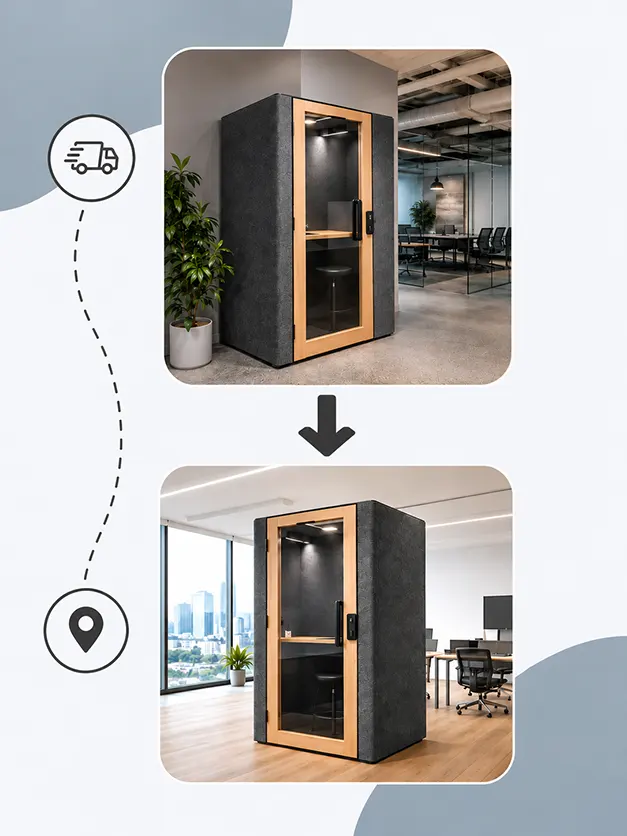
Our pods are freestanding, non-structural units. Optional casters make it possible to reposition a pod on the same floor. For moves between floors or offices, the pod can be disassembled into manageable modules and reassembled in its new location.
Automation and Usage Data
Depending on the model, WorkBooth features include automatic activation, smart ventilation, adjustable lighting, booking-system integration, and usage reports. These systems reduce manual steps for employees while giving facilities teams more useful information about how the workplace is used.
Fast Installation
Installation takes significantly less time than building a traditional meeting room and does not require permanent walls. This makes WorkBooth a practical choice for companies that need to adapt their office without committing to a long construction project.
FAQ
How Effectively Does WorkBooth Reduce Noise?
Our pods provide Class A speech privacy under ISO 23351-1 and 43 dB of noise reduction. This keeps conversations inside private while reducing distracting external noise to a level that does not interfere with focused work or calls.
Is It Difficult to Integrate a Pod with a Room-Booking System?
No. Our open API supports integration with major room-booking systems through a compatible scheduling panel. A typical setup takes approximately 30 minutes, although the exact time depends on your company’s infrastructure.
How Does WorkBooth Manage Energy Use?
WorkBooth One uses 50 W in operating mode, while WorkBooth Two uses 89 W. Occupancy-based automation helps prevent unnecessary energy use by activating lighting and ventilation when the pod is needed and managing ventilation through scheduled operating cycles when it is unoccupied.
Can a WorkBooth Pod Be Moved After Installation?
Yes. Our pods have a modular construction. Caster options are available for repositioning a pod on the same floor, while a larger relocation can be completed by disassembling the pod and reassembling it in the new location.
Does a WorkBooth Pod Require a Dedicated Electrical Circuit?
No. WorkBooth connects to a standard 110–120 V wall outlet and does not require hardwiring.